Elite Dangerous · Commander’s companion

Your galaxy,
in view.

Discover your next world. Find a better mining loop. Keep your colony supplied. SrvSurvey-XP brings your journey into focus with tools and overlays that follow the game.

  • Windows & Linux
  • Free & open source
  • 7 interface languages
SrvSurvey-XP’s gold and cyan emblem
EXPLORATION / EXOBIOLOGYEvery discovery, accounted for.
MINING / NAVIGATION / COLONIZATIONYour next move, made clearer.

Information where you need it

Keep your eyes on the galaxy.

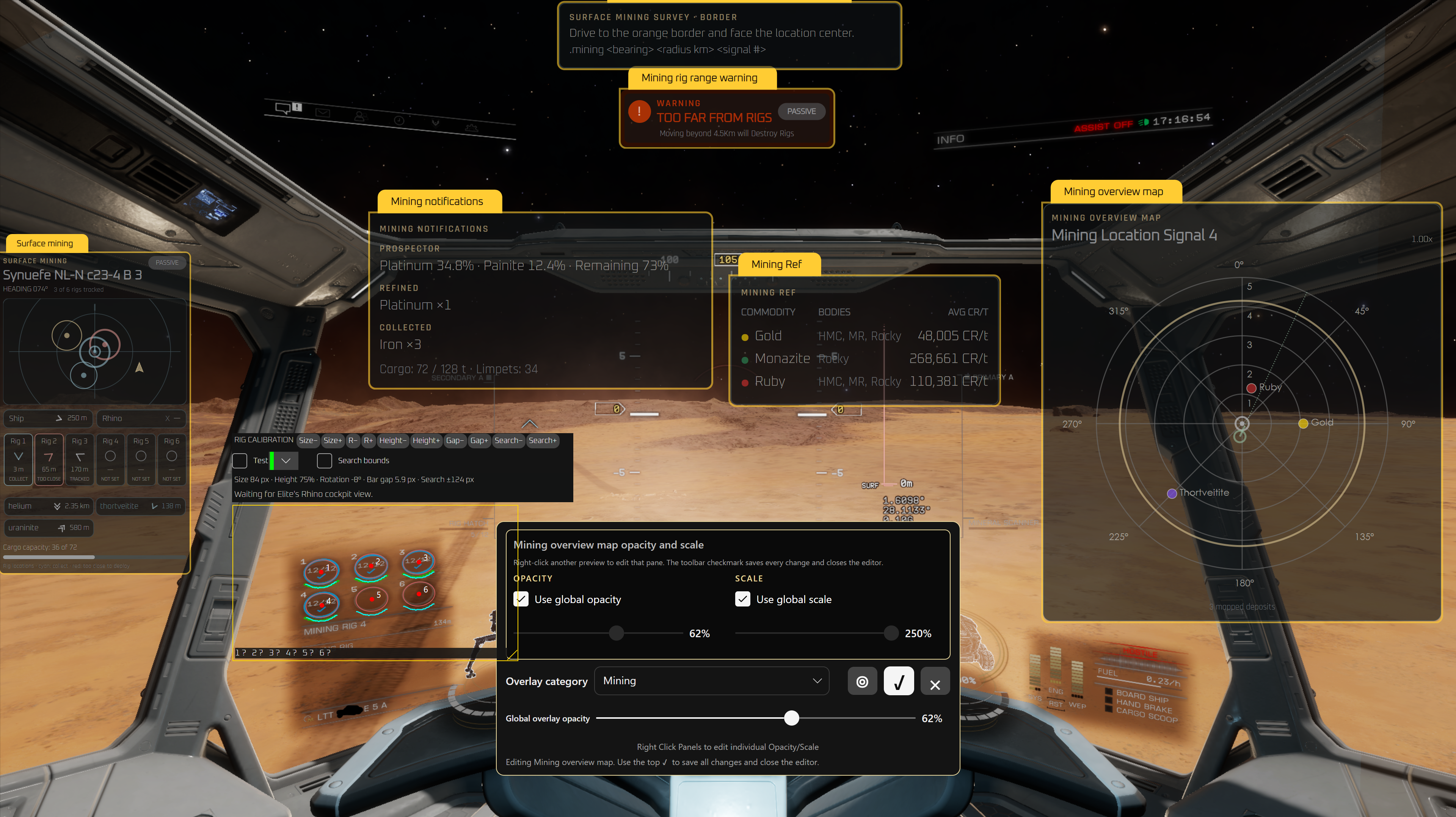
Contextual panels put useful information over the game. Arrange the ones you need, tune their appearance, and keep flying.

Surface Mining overlays arranged over the Rhino cockpit, with map, rig tracking, mining reference and position editor controls
IN-GAME OVERLAY POSITION EDITORReal application screenshot · select to enlarge
01 / CONTEXTFollows your session

Journal-driven state, from orbit to the surface.

02 / CONTROLA cockpit that fits you

Panel placement, opacity, scale, colors and shortcuts.

03 / CONTINUITYKeep your progress

Saved work, local backups and optional Drive sync.

A companion for the way you play

One galaxy. Plenty to do.

From a single organic sample to an entire construction project, follow the details without losing the bigger picture.

01

Exploration & exobiology

Turn scans into a useful picture of the system, its organisms and your rewards.

  • FSS / DSS progress and estimated exploration value
  • Biology predictions, sample-distance guidance and first-footfall tracking
  • Codex reference, regional progress and Codex Bingo
  • Procedural boxel searches and completion audits
02

Navigation & journeys

Plan the next leg and remember the places worth coming back to.

  • Saved journeys with systems, statistics and screenshots
  • Spansh route imports, refuel and neutron guidance
  • Spherical, nearby-system and biology searches
  • System, body, ring and surface bookmarks with notes
03

Ship & surface mining

Find opportunities, record your sessions and build reusable planetary maps.

  • Powerplay merit searches for rings and landable bodies
  • Surface profit searches with nearby selling stations
  • Prospector results, refinery output, cargo and reports
  • Rhino survey routes, deposit maps and six-rig tracking
04

Colonization & carriers

Keep construction requirements and supplies in view as your project grows.

  • Raven Colonial projects, deliveries and payment estimates
  • Commodity requirements and Fleet Carrier supply planning
  • Configurable NEED, FC, SHIP and combined cargo views
  • Fleet Carrier routes, jump phases and live countdowns
05

Guardian sites & surface work

Bring structure to surveys, local visits and on-the-ground navigation.

  • Guardian ruins and structure maps with editable markers
  • POIs, pylons, obelisks, relic headings and Ram Tah logs
  • Ground-target guidance and settlement reference data
  • Local quests with objectives and journal-driven progress
06

Your commander workspace

Keep your ship, session and preferences together in a configurable desktop app.

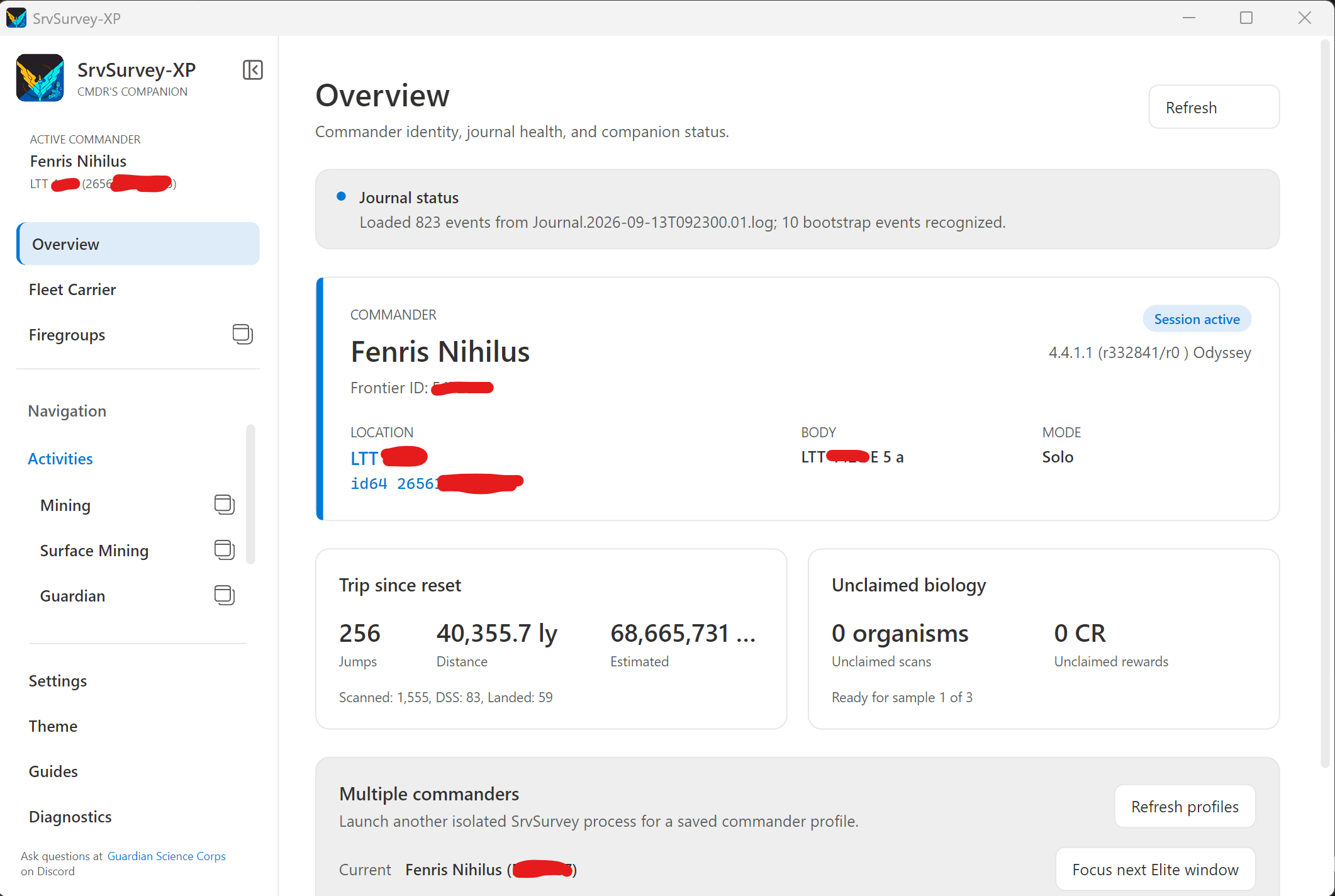
  • Commander overview and isolated profiles for multiple commanders
  • Firegroups reference and cockpit-view visibility controls
  • Massacre mission and ship / on-foot combat tracking
  • Themes, searchable settings, Guides and journal diagnostics
Overlays, themes & accessibility

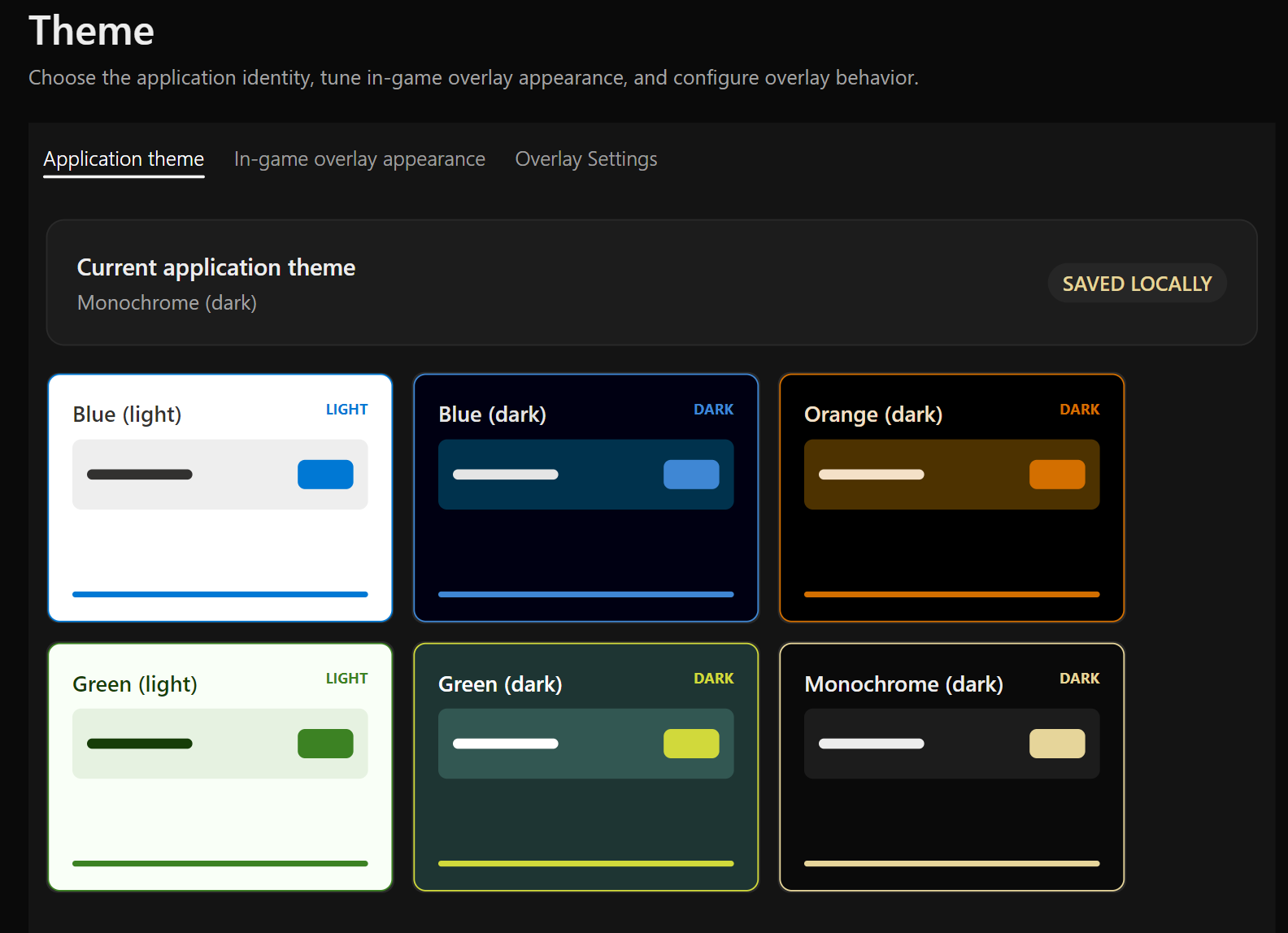
Choose Blue, Green or Monochrome application themes in light and dark variants, then customize in-game overlay palettes independently. The visual editor supports dragging panels, anchors, per-panel scale and opacity, typography and visibility controls. Keyboard and controller shortcuts provide quick access during play.

The interface includes English, Deutsch, Español, Français, Português (Brasil), Русский and 简体中文. Searchable Guides organize instructions by subject; settings search and horizontal table scrolling help with larger workspaces.

Reports, bookmarks & saved work

Keep current and historical mining reports, notes, screenshots and manual refinery estimates. Export offline HTML reports for printing or PDF, import CSV history, and make ZIP mining backups. Bookmarks support categories, notes, screenshot attachments and JSON import/export; Surface Mining adds favorites and deposit details.

Optional Google Drive sync carries supported settings and saved work between machines. Machine-dependent overlay positions, monitor choices and capture calibration stay tied to their originating computer. Local backup and restore work without a Google account.

Diagnostics, migration & platform support

Inspect journal sources, individual events, parsed live state and application logs. Historical journals can rebuild state; exported diagnostic replays help reproduce issues. An importer can bring in an existing SrvSurvey profile while preserving the source.

Windows x64 and Linux x64 packages include their runtime. Linux overlays support X11 and XWayland; compositor behavior varies, and pure native Wayland does not provide full overlay functionality. Where supported, screen capture uses the desktop portal and PipeWire, and keyboard input can use the Global Shortcuts portal.

Read the Linux troubleshooting guide

Featured / mining tools

Pick a purpose.
Find a place to mine.

Work toward your Power’s goals or plan a profitable surface loop. Two searches, with the details you need to make the trip worthwhile.

MINING → POWERPLAY

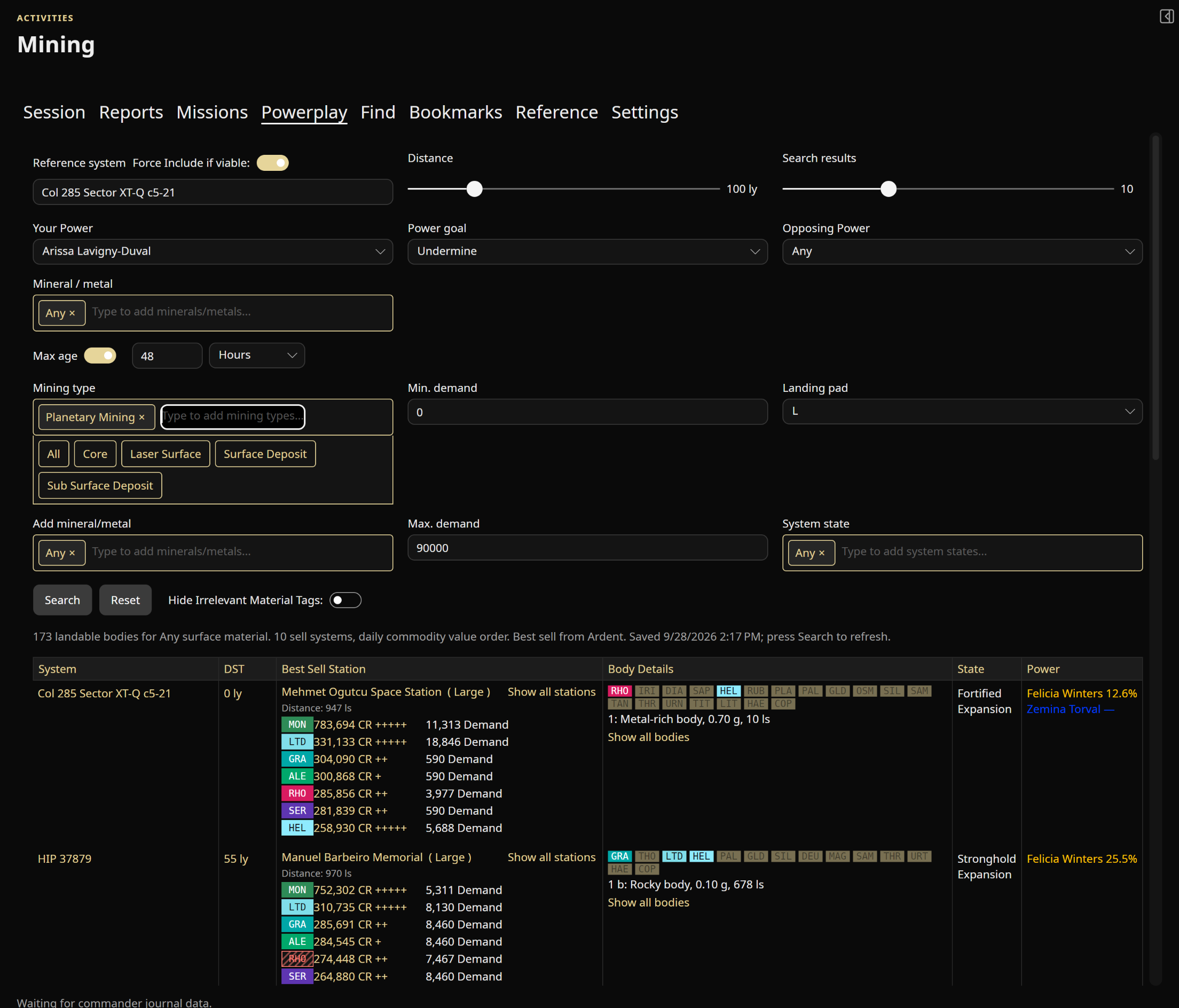
Mine for merits.

Search for your chosen Power and objective. Planetary Mining brings landable bodies alongside traditional ring mining, with commodity, opposing Power, system-state, market-age, demand and landing-pad filters.

Powerplay merit mining search with Planetary Mining selected and landable-body results
SURFACE MINING → SEARCH

Mine for profit.

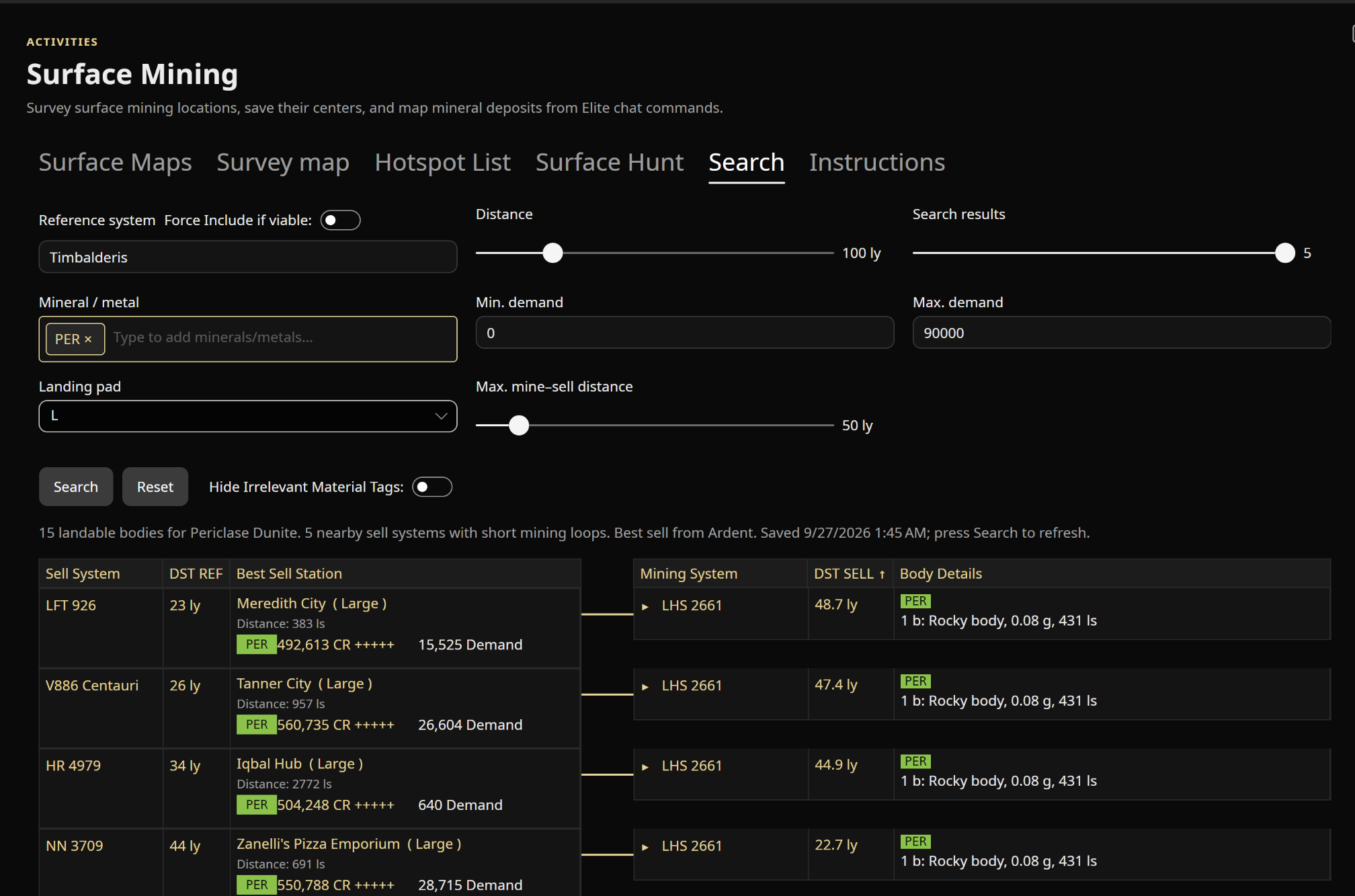
Connect promising landable bodies with nearby buyers. Compare prices, demand, body details and mine-to-sell distances, then narrow the search by commodity, radius and landing-pad size.

Surface Mining search pairing station prices and demand with nearby mining systems and body details

From prospect to plan

Survey the surface.
Make the location yours.

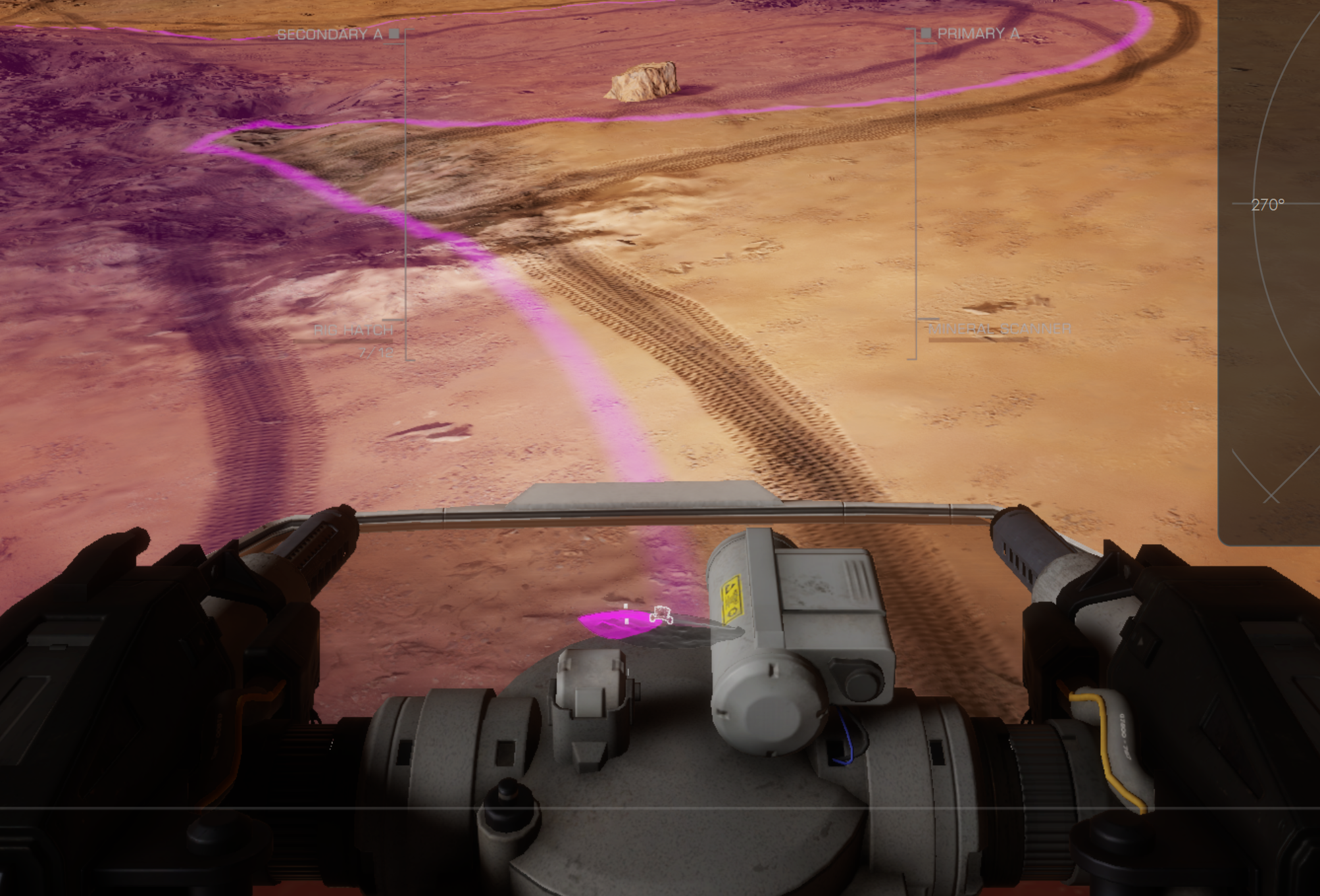
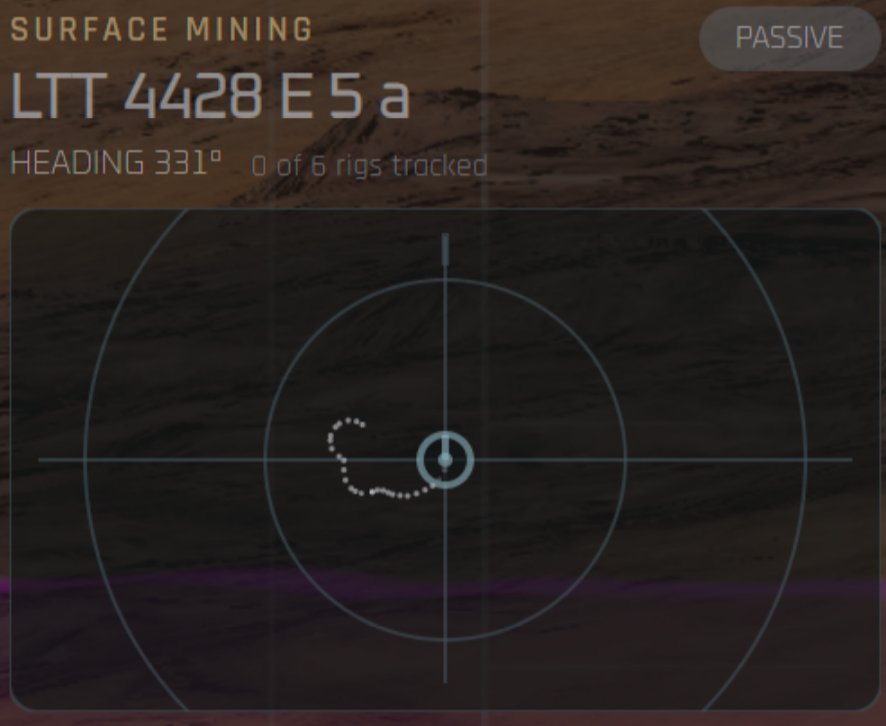
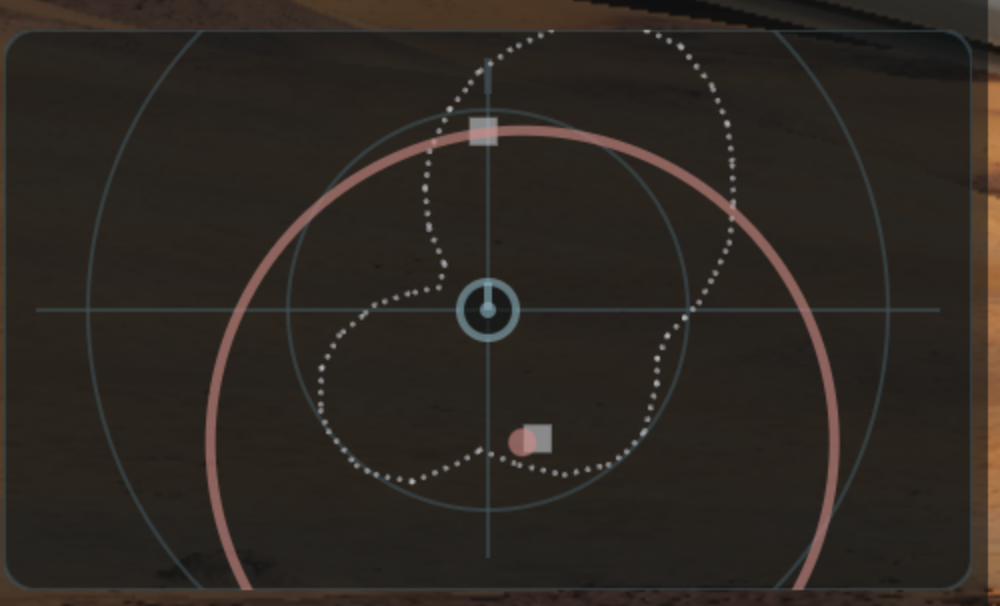
Map a mining location’s border and deposits, follow a guided scan route, and save your progress. Trace a deposit with .mine splat to calculate up to six rig-placement suggestions, then track your deployed rigs with distance and bearing cues.

Follow the Surface Mining guide
Rhino aligned on a surface deposit’s visible border
01 Align on the border
Dotted outline following a Rhino’s deposit boundary trace
02 Trace the outline
Completed deposit trace with suggested rig positions
03 Plan your rig layout

Connected when you choose

Community knowledge.
Your saved work.

Public reference data enriches your tools. Account linking and publication have their own controls, so you can choose which optional services you use.

OPTIONAL GOOGLE DRIVE BACKUP & SYNC

Continue where
you left off.

Link Google Drive in Settings → Data & migration. Sync supported settings, searches, routes, bookmarks and surveys between computers, or restore a saved backup.

  • Startup sync and backup on orderly shutdown
  • Manual Backup now / Sync now and conflict choices
  • Machine-specific positions and capture settings
  • Cloud history, downloads and confirmed deletion

Uses Drive’s private app-data folder, with permission limited to that folder. Credentials, raw journals and screenshot files are excluded. Google sign-in is optional.

Read how Google Drive data is used

Frontier account linking

Optional OAuth linking adds commander, ship, carrier, market and Community Goal information to your local dashboard. SrvSurvey does not receive your Frontier password.

Reference & community services

Canonn, Spansh, EDSM, Inara and other catalogs provide public discovery, route, system and market information. Enabled Raven Colonial workflows synchronize project and supply information.

Separate sharing controls

EDDN, Inara, direct EDSM, VoxStellar and supported discovery uploads have independent opt-in requirements. Commander identifiers and gameplay data may be sent when you enable the relevant service.

Clear about data

Local journals power the app. Daily activity reporting sends a random installation ID, app version and operating system to count active installations; it does not send your commander name, journal or Google account.

Read the full Privacy Policy

Ready for your next jump?

Bring SrvSurvey-XP
along for the ride.

Choose a package from the current XP release. Packaged builds include their runtime, so you don’t need to install .NET separately.

Browse releases

Built on a community foundation

With thanks to the original SrvSurvey.

SrvSurvey-XP is the cross-platform fork maintained by Fenris159. The original SrvSurvey was created by njthomson, whose work and contributors made this project possible. Explore the upstream project and its history, or contribute to the XP fork.

Independent third-party software. Not affiliated with or endorsed by Frontier Developments. Elite Dangerous and related game imagery belong to their respective rights holders. SrvSurvey-XP source is available under the GNU GPL v3.

Open original image